Open the Paralives Workshop in Steam, subscribe, wait for Downloads to finish, restart and test the exact mode named by the creator.
How Steam Workshop delivery works
Paralives Steam Workshop mods are managed as Steam subscriptions, not as ordinary manual archives. Open the Workshop page for the Paralives app, subscribe to the item and let Steam finish the download before launching the game.
A Subscribe button confirms a subscription request, not in-game compatibility. Read required items, creator notes and the current game context before testing.
- Correct Paralives Workshop app
- Active subscription
- Completed Steam Downloads
- Required dependencies
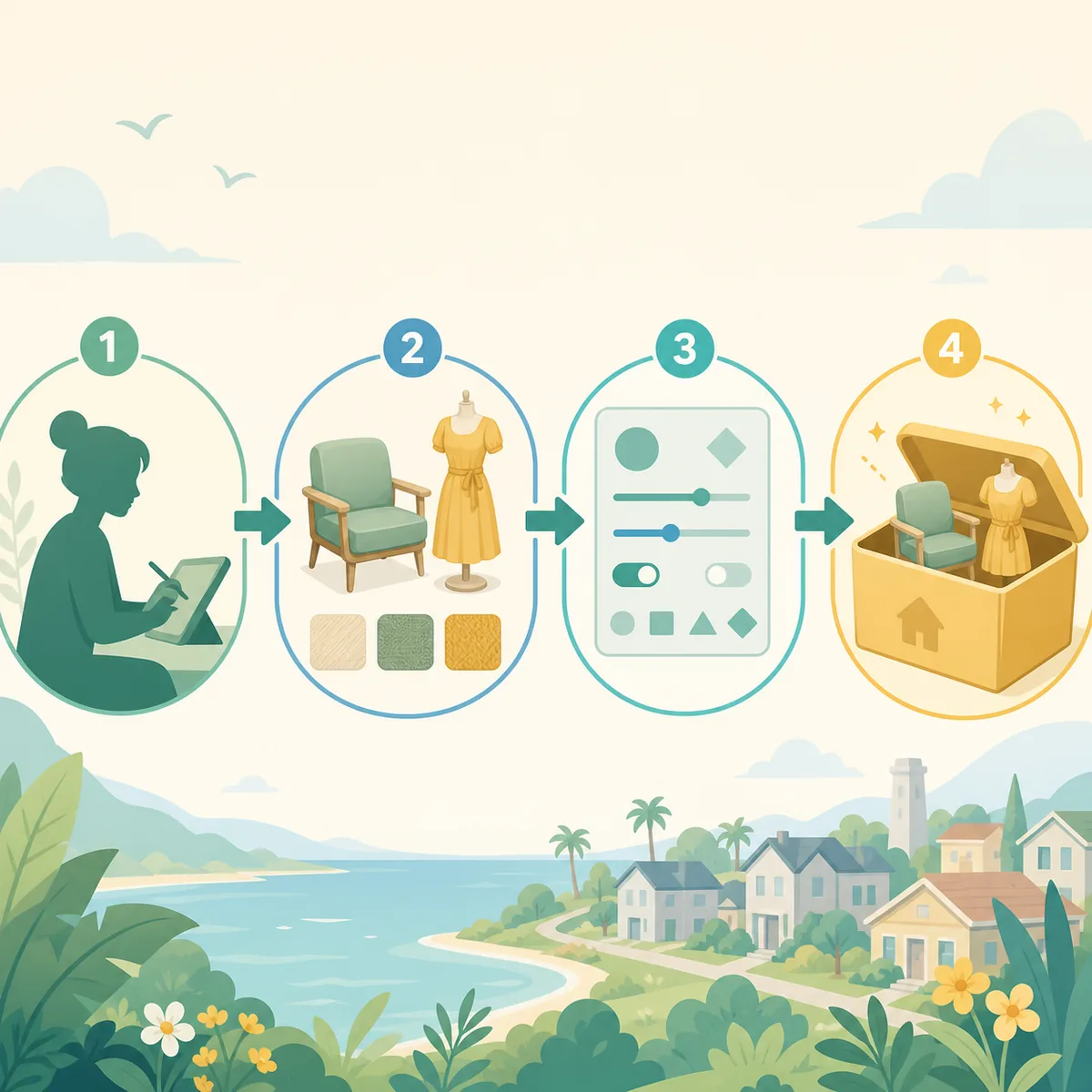
Subscribe, wait and restart
Check Steam Downloads after subscribing. If the queue is paused or incomplete, resume it before launching Paralives. Subscribe to dependencies first when the creator lists them.
After the download completes, close any existing game process and restart. Then check the exact Paramaker, build or gameplay location documented by the creator.
- Open WorkshopUse the official Paralives app Workshop page.
- Read requirementsReview dependencies and compatibility notes.
- Subscribe and waitConfirm the Steam queue has finished.
- Restart and testClear filters and use the expected in-game mode.
When subscribed mods do not appear
If Paralives Steam Workshop mods are not appearing in the game or mod list, first confirm the Workshop item is for Paralives and Steam finished delivering it. Then check the relevant mod setting, restart and clear category filters.
A build asset will not appear in Paramaker, and a gameplay script may not create a thumbnail. If one item remains missing, check its dependencies; if every item disappears, investigate Steam state or a shared game setting.
- Check Steam Downloads and the subscription state.
- Confirm the correct app and creator item.
- Open the documented mode with filters cleared.
- Test one current item before changing the library.
Workshop versus manual copies
Workshop and manual files have different update owners. Steam manages a subscription; a creator archive is tracked by the player and creator. Copying a Workshop item into a manual folder can create two active versions.
Keep the source workflow intact. If you need a manual version, isolate the Workshop copy first and record which version you are testing.
| Method | Update owner | Remove with |
|---|---|---|
| Steam Workshop | Steam subscription | Unsubscribe and restart |
| Creator archive | Player and creator | Creator instructions |
| Duplicate copies | Both sources | Isolate before deleting |
| Collection | Steam plus creator notes | Review item by item |
Updates and safe unsubscribe
When a stable Workshop setup changes, compare the game update, item update and dependency state. Test one current subscription before restoring older or optional items.
Before unsubscribing from a save-impacting mod, read the creator's removal notes and check for a separate manual copy. Let Steam process the change, restart and verify the result.
Keep a Workshop verification record
Record the item URL, subscription date, required items, successful mode test and the game or item update that was active. This makes later troubleshooting concrete and avoids downloading an unrelated reupload.
If the symptom becomes a general missing-mod problem, link to the mods-not-showing guide. If the item is detected but its feature fails, use the mods-not-working guide.
Steam Workshop FAQ
How do I download Paralives Workshop mods?
Subscribe through the official Steam Workshop page and wait for Steam Downloads to complete before restarting the game.
Why are Workshop mods not in build mode?
Confirm that the item is a build asset, clear catalog filters, check dependencies and verify the subscription.
Do Workshop mods update automatically?
Steam normally manages subscribed item delivery, but creator compatibility and game updates still need to be checked.
Are unsubscribed mods still on my PC?
Steam-managed content should be removed, but a separate manual copy or cached file may remain. Identify the source before deleting anything.