

For the published Windows minimum, plan for 8 GB of RAM, a four-to-six-core-class processor such as the i5-4690 or Ryzen 5 1500X, a GTX 960 or R9 380 with 4 GB VRAM, 40 GB of free storage and DirectX 11. If you build large lots, use dense custom content or keep other apps open, the 16 GB recommended tier is a more comfortable target.
Paralives system requirements at a glance
The table below transcribes the Windows minimum and recommended tiers shown on the official Paralives Steam page checked for this guide. It is the right starting point for a purchase or upgrade decision, but it is not a promise of identical frame rates on every system. Early Access builds, display resolution, background software and the size of a lot can change how much headroom you feel.
The game is listed for PC and Mac through Steam. The first-party page exposes a detailed Windows table, while a separate complete Mac CPU/GPU table was not visible in the checked view. For Mac, treat the official store and current developer notes as the authority rather than copying an invented Windows-to-Mac equivalence.
| Tier | Operating system | Processor | Memory | Graphics | Storage | Other |
|---|---|---|---|---|---|---|
| Minimum | Windows 10 64-bit | Intel Core i5-4690 or AMD Ryzen 5 1500X | 8 GB RAM | NVIDIA GTX 960 or AMD Radeon R9 380, 4 GB VRAM | 40 GB available | DirectX 11; broadband internet |
| Recommended | Windows 10 64-bit | Intel Core i5-10600 or AMD Ryzen 5 3600 | 16 GB RAM | NVIDIA RTX 2060 or AMD RX 5700, 6 GB VRAM | 40 GB available | DirectX 11; broadband internet |
What the minimum requirements mean
The minimum tier is a compatibility floor, not a quality target. An i5-4690 or Ryzen 5 1500X can be enough to start the game, but a machine that only just reaches the floor may need lower resolution, fewer background tasks and more patience when a lot contains many objects. A laptop with a similar-sounding processor can still behave differently if it uses a low-power mobile chip or shared graphics memory.
The 4 GB VRAM line matters because a dedicated graphics card has to hold the game scene, textures and display output. Integrated graphics may share system memory and may not match the listed GTX 960 or R9 380 class. Check the exact GPU model in Windows Settings or the manufacturer's utility instead of relying on a product family name alone.
The 40 GB storage figure is free space for the game installation as published by Steam. Leave additional room for updates, shader or cache files, saves, screenshots and mod archives. A nearly full system drive can create problems that look like a game or mod failure, so keep a buffer rather than treating 40 GB as a safe total-disk target.
- Confirm the exact CPU and GPU model, not only the brand or laptop series.
- Check that the graphics card exposes at least 4 GB of dedicated VRAM for the minimum tier.
- Keep more than the published 40 GB free if you expect regular Early Access updates.
- Close launchers, browsers and recording software when testing a system near minimum.
- Use a clean, unmodded launch first so hardware performance is not confused with a broken add-on.
Recommended specs for building and larger households
The recommended tier is a better planning target for players who care about building, switching between modes, running higher visual settings or keeping a larger household in memory. The move from 8 GB to 16 GB RAM is especially useful when the game is not the only demanding application open. It does not guarantee a fixed frame rate, but it gives Windows more room before it starts relying heavily on disk paging.
A stronger graphics card helps when the scene is dense, the display resolution is high or the settings are raised. It is still worth matching the card to the monitor: a 1080p player may not need the same upgrade as someone using a high-resolution display. If your CPU is below the recommended tier, a new GPU alone may not remove simulation or loading slowdowns caused by the processor.
For a sensible upgrade order, first confirm that the game can launch, then identify the bottleneck during a repeatable test lot. Upgrade RAM when memory pressure is the problem, graphics when visual settings or resolution are the limit, and the CPU when simulation or object-heavy scenes remain slow despite a comfortable GPU.
| Use case | Useful headroom | Reason |
|---|---|---|
| Basic test on a supported PC | Minimum tier plus free storage | Confirms the game can start without adding variables. |
| Regular building and live mode | 16 GB RAM and recommended GPU class | Leaves more room for dense scenes and background tasks. |
| Large lots or custom-content testing | Recommended tier plus extra storage buffer | Reduces memory and update pressure while you isolate content. |
| Recording, streaming or many open apps | Recommended tier or better | The game shares CPU, RAM and GPU time with the capture workflow. |

Can I run Paralives on Mac?
Paralives is presented as a PC and Mac Early Access game on Steam, but the checked store view does not provide a separate, complete Mac table with an equivalent CPU, GPU and memory breakdown. That means a Mac answer should be cautious: support on the store page confirms the platform target, while the exact experience depends on the Mac model, chip, memory, operating-system state and display settings.
If you are deciding whether to buy on Mac, compare your model's real processor, unified or dedicated memory, available storage and graphics capability with the Windows baseline as a rough reference only. Do not assume that a Mac with 8 GB unified memory will behave exactly like a Windows desktop with 8 GB RAM and a dedicated 4 GB graphics card. Check the current Steam page and official developer announcements again before a major hardware purchase.
A Mac test should begin with a clean launch at conservative settings. Record the model and macOS version, close overlays, load a small test lot, then increase scene complexity one change at a time. If the official store or developer notes later publish a dedicated Mac table, replace this cautious guidance with that first-party data.
- Use the official Steam listing as the current platform source.
- Check the exact Mac model and available storage rather than only the year.
- Treat unified memory and dedicated VRAM as different measurements.
- Test a small lot before adding Workshop subscriptions or external mod files.
- Recheck official news after Early Access updates because performance targets can move.
| Published information | Safe interpretation | Do not assume |
|---|---|---|
| Steam lists PC and Mac support | Mac is an intended platform | Every Mac model will perform the same |
| Detailed table is visible for Windows | Use the Windows figures as a documented baseline | The Windows GPU name maps directly to Apple hardware |
| Early Access can change | Keep extra headroom and recheck official notes | A current benchmark remains permanent |
How mods and custom content change the decision
The published requirements describe the base game, not every possible mod collection. A small cosmetic item may add little noticeable load, while a script plugin, high-resolution asset pack or large Workshop library can increase memory use, loading time and troubleshooting complexity. The practical question is not only “can the game run?” but also “how much headroom remains after the game and the content I actually use are loaded?”
Start with one clean baseline. Then follow the Paralives mod installation guide for the source-specific workflow, add a small batch and record what changed. The best-mods checklist is useful for comparing requirements and maintenance evidence before you commit to a large collection. Workshop subscriptions and creator-hosted files should not be mixed casually because duplicate copies can make a performance or compatibility test misleading.
If the base game runs but a collection fails, use the mods-not-working guide to isolate dependencies and post-update conflicts. If an item disappears from the catalog, use mods-not-showing troubleshooting instead. Hardware upgrades can help with headroom, but they cannot repair a missing dependency, an incorrect folder level or a Workshop download that has not finished.
- Keep an unmodded baseline save and a small test lot.
- Add one source or a small batch at a time.
- Record the creator, version, dependency and installation date.
- Keep extra storage for archives and updates instead of counting only the game install.
- Separate hardware symptoms from source, dependency and loading symptoms.
Storage, graphics and troubleshooting checklist
A repeatable check is more useful than a vague “my PC is good enough” judgment. Use the same small lot, the same display resolution and the same set of background applications while you compare changes. Make one adjustment at a time and keep notes, especially if the system sits close to the minimum tier.
Before reporting a performance problem, confirm that Steam has finished updates, the game is using the intended graphics processor and the storage drive has free space. On a laptop, power-saving mode can silently limit performance. On a desktop, an old driver or an application recording the screen can create a bottleneck that disappears when the application is closed.
- Record the hardwareWrite down the CPU, GPU, VRAM, RAM, display resolution and free storage shown by the operating system.
- Launch without extrasStart a clean game session and load a small lot before adding mods or Workshop content.
- Check the graphics pathConfirm the game is using the dedicated GPU when the computer has both integrated and dedicated graphics.
- Change one variableLower resolution or visual settings one at a time so you can identify the limiting component.
- Retest after updatesRepeat the same test after an Early Access patch, driver change or large content update.
Version and source note
This page was checked on August 11, 2026 against the official Steam listing, the Paralives news page and the official site. The latest released official patch found during this check was 0.1.7, published August 10, 2026. A future patch announcement is not treated as a released requirement change.
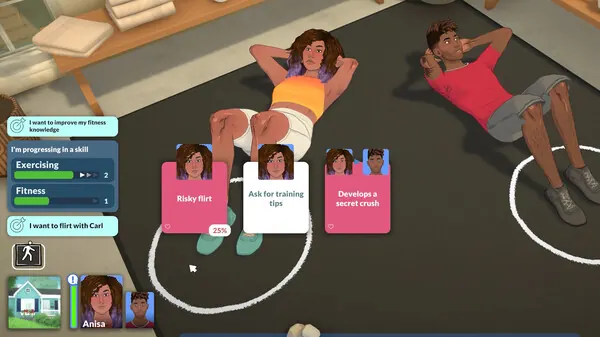
The top illustration is an editorial explanation graphic, not an official screenshot. The in-body media is linked to official Steam artwork so readers can distinguish the visual reference from the published hardware facts. When the official requirements change, update the table and date rather than copying a third-party benchmark as if it were a first-party specification.

Paralives system requirements FAQ
What are the minimum requirements for Paralives?
The official Windows minimum lists Windows 10 64-bit, an Intel Core i5-4690 or AMD Ryzen 5 1500X, 8 GB RAM, a GTX 960 or Radeon R9 380 with 4 GB VRAM, 40 GB available storage, DirectX 11 and broadband internet.
What PC specs are recommended for Paralives?
The recommended Windows tier lists an Intel Core i5-10600 or AMD Ryzen 5 3600, 16 GB RAM, an RTX 2060 or RX 5700 with 6 GB VRAM, 40 GB storage, DirectX 11 and broadband internet.
Can I run Paralives on a laptop?
Possibly, if the laptop's exact CPU and GPU meet the published tier. Check the model rather than assuming that a laptop with the same brand name has desktop-level performance, and test with conservative settings if it is close to minimum.
Does Paralives have separate Mac requirements?
The official Steam page presents Mac support, but the checked view does not publish a separate full Mac CPU/GPU table. Compare your exact Mac model cautiously with the Windows baseline and recheck official developer notes before upgrading hardware.
Do Paralives mods need a stronger PC?
Some collections need more headroom than the base-game minimum, especially when they add large assets, scripts or many Workshop items. Start from a clean baseline, add a small batch and separate hardware limits from dependency or installation failures.
Where should I verify the latest Paralives requirements?
Use the official Steam store listing and Paralives official news. This guide records its August 11, 2026 check date and should be refreshed when first-party specifications change.